OBS updates your status automatically
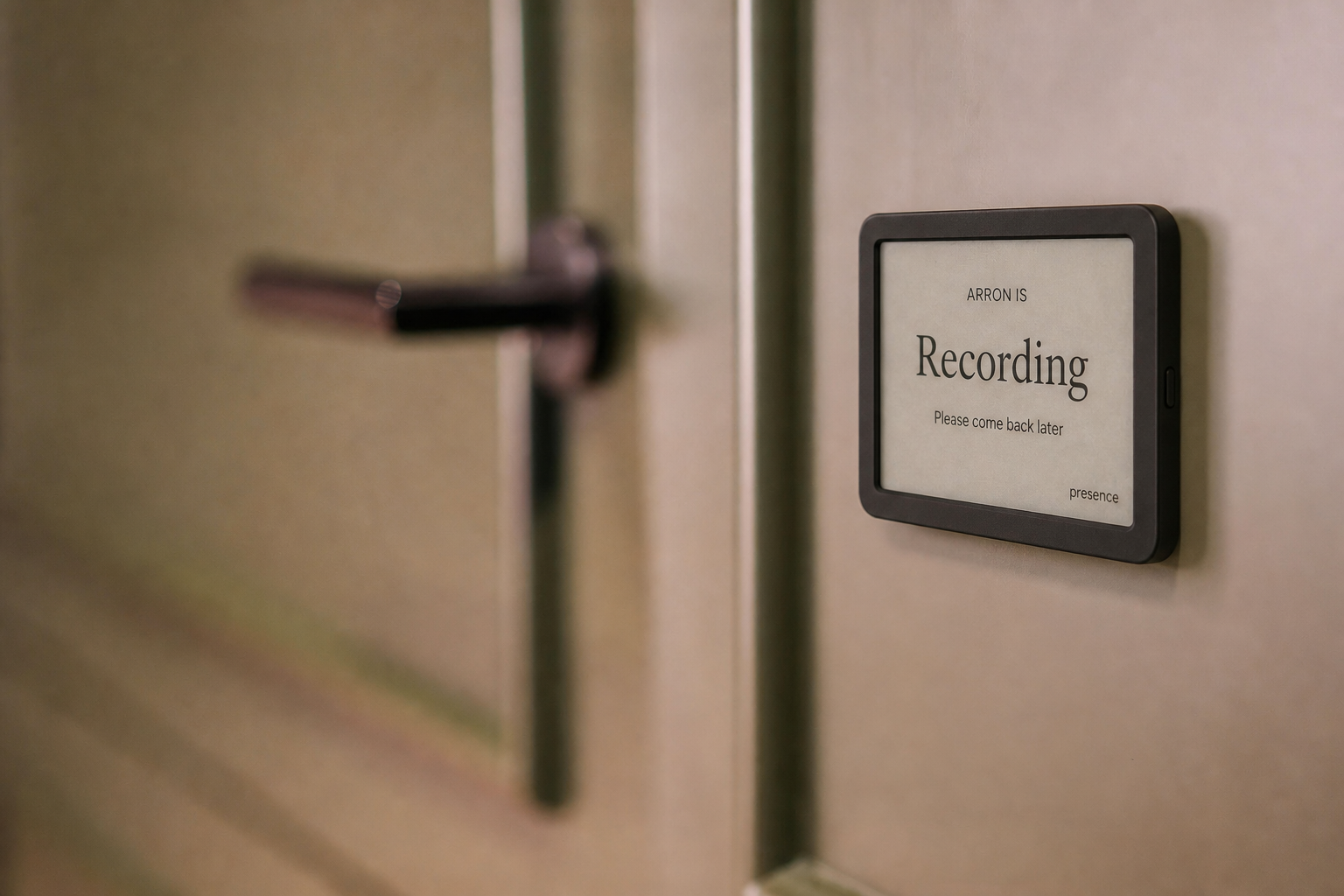
Start recording or streaming in OBS and Presence changes to Recording within seconds. Stop the production and your normal status logic takes over again.
RECORDING + LIVE STREAMING · OBS FOR MAC AVAILABLE NOW
Presence recognizes when OBS Studio starts recording or streaming on a connected Mac and automatically updates your status everywhere Presence appears. The Chrome beta adds YouTube Live Control Room and other supported browser studios.
FOR CREATORS, CHURCHES, STUDIOS, AND LIVE TEAMS
Presence combines only the availability connections you approve into one simple, privacy-safe status. The people around you see whether now is a good time—not the private details behind the answer.
Start recording or streaming in OBS and Presence changes to Recording within seconds. Stop the production and your normal status logic takes over again.
A supported browser production can update a private family link, office display, TRMNL-ready feed, or team and Reception View.
The OBS and Chrome connections do not collect scenes, sources, broadcast titles, guests, destinations, chat, audio, video, recordings, or stream keys. They report only the supported studio, mode, and whether that mode is active.
SET IT UP ONCE
Install or update the helper from your dashboard, then enable OBS’s built-in local WebSocket server. Presence discovers the local settings automatically.
Simply opening OBS does not change your status. Presence waits until recording or streaming actually begins.
Presence switches to Recording within seconds. When you stop, control returns to meetings, calls, calendars, working hours, or your manual choice.
PRIVACY FIRST
Meeting titles, attendees, call participants, precise coordinates, chat, recordings, audio, and video stay out of shared views. Every user controls their own connections and links.
COMMON QUESTIONS
No. Presence waits until OBS is actively recording or streaming. Opening OBS, arranging scenes, or preparing a production does not change your status.
No. Presence does not access the broadcast, camera, microphone, guests, chat, title, destinations, or recording. It uses only the limited active-state control on the supported studio page.
The Mac companion supports OBS Studio through its built-in local WebSocket server. Chrome v0.3 beta supports YouTube Live Control Room, StreamYard, Riverside, and Restream Studio. Windows OBS support requires a future Windows companion.
No. The Presence Mac helper reads the local OBS connection settings and uses the password only on that Mac. Presence receives only connected, recording, and streaming state.
GET STARTED
Try Presence free during the beta using your existing tablet or browser.
Get early access