Automatic, not another habit
Presence updates from Google Calendar, Outlook, Teams, Zoom, Webex, Google Meet, supported calls, and working hours—without asking someone to remember a slider or sticky note.
OFFICE STATUS DISPLAY
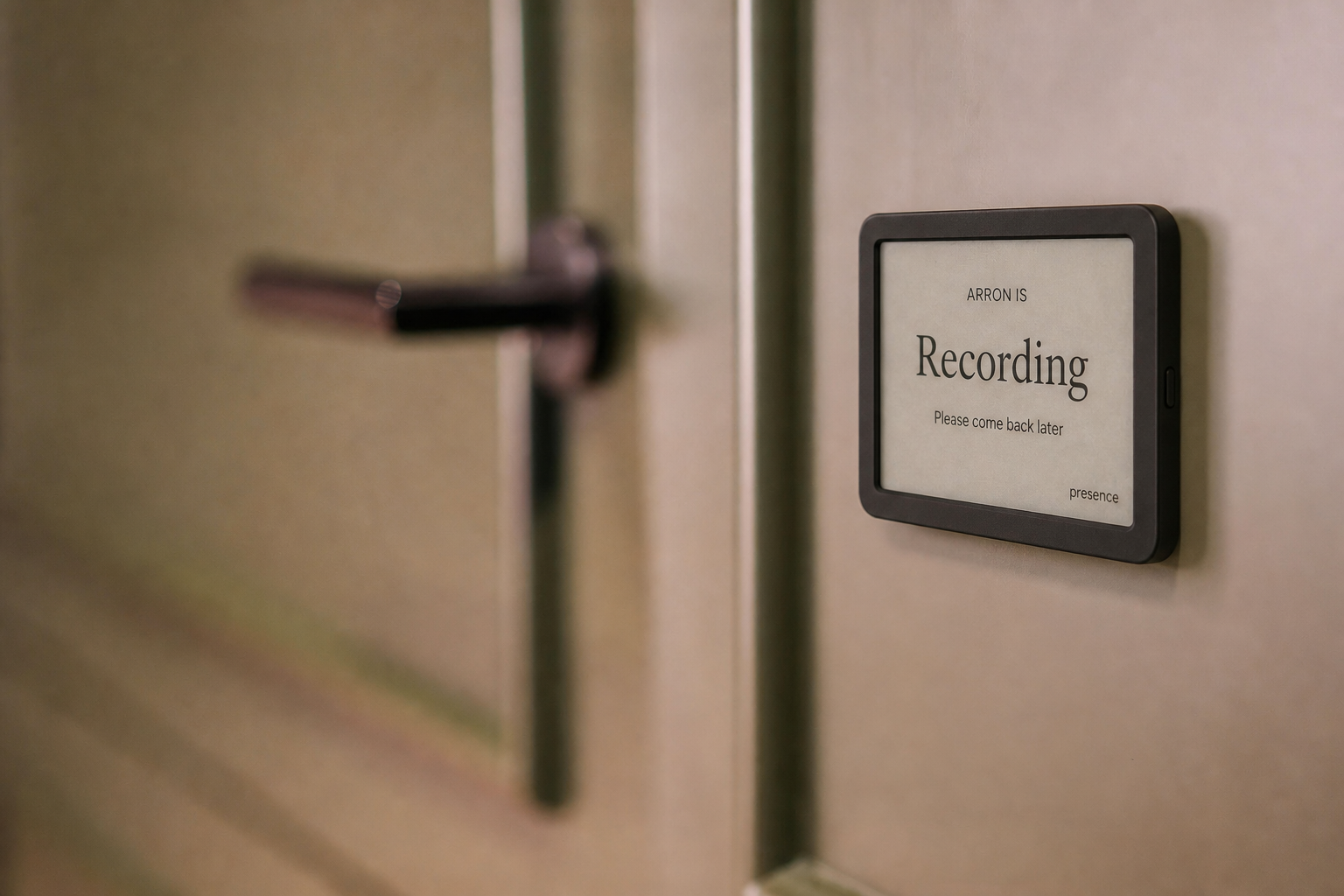
Turn a tablet, spare screen, e-ink-style reader, or TRMNL into a live office status display powered by calendars, meetings, calls, and manual choices.
FOR OFFICES, STUDIOS & MEETING ROOMS
Presence combines only the availability connections you approve into one simple, privacy-safe status. The people around you see whether now is a good time—not the private details behind the answer.
Presence updates from Google Calendar, Outlook, Teams, Zoom, Webex, Google Meet, supported calls, and working hours—without asking someone to remember a slider or sticky note.
Clear status language and color make Available, In a Meeting, Recording, Focus, On a Call, and Away understandable before someone knocks.
Create reusable custom labels, messages, and colors for the display. Each custom choice maps to a core Presence behavior so connected features keep working predictably.
Open a private display link on a tablet or browser, use the monochrome e-ink view, or connect the TRMNL-ready endpoint.
Keep the original Default display or choose Neon Sign, Color Wash, Broadcast Studio, or Executive Lobby. The choice is saved on that screen without changing anyone else's view.
On compatible Android browsers, Presence requests a screen wake lock and restores it when the display returns to the foreground. Battery-saving and device policies can still override it.
Visitors see the answer they need while titles, attendees, call participants, and calendar details remain hidden.
SET IT UP ONCE
Add one or more calendars and optional live meeting or call connections.
Use any modern browser, tablet, spare monitor, e-ink-style reader, or compatible TRMNL display.
The display refreshes automatically, requests screen-awake support on compatible Android tablets, and keeps manual choices available when the day changes unexpectedly.
PRIVACY FIRST
Meeting titles, attendees, call participants, precise coordinates, chat, recordings, audio, and video stay out of shared views. Every user controls their own connections and links.
COMMON QUESTIONS
No. Presence works in a modern browser and can be displayed on tablets, spare screens, e-ink-style browsers, and TRMNL-compatible displays.
No. Shared and door displays show a simple status and expected availability, never calendar titles, attendees, call participants, or meeting details.
Yes. Each participating person controls their own account and private display link, while an organization can also use Reception and Group Views.
Presence requests a Screen Wake Lock in compatible browsers and automatically retries when the display returns to the foreground. Android Battery Saver, browser age, or managed-device policies can still turn off the screen, so a plugged-in kiosk may also need its device-level Stay awake setting.
GET STARTED
Try Presence free during the beta using your existing tablet or browser.
Get early access